Use the promo code to enjoy a 10% discount storewide.
Why Screens Make Your Eyes Tired — And What Actually Helps

If your eyes feel heavy by mid-afternoon, your vision seems slow to refocus when you look across the room, or a long spreadsheet leaves you with a dull headache, it is reasonable to ask: why do screens make your eyes tired?
Usually, the answer is not that your monitor is damaging your eyes. Digital eye strain is more often the combined effect of prolonged close work, less complete blinking, and a workspace that makes your visual system work harder than it needs to. The useful first move is to adjust the conditions around the screen—not to hunt for one culprit.
What digital eye strain is — and what it isn't
Digital eye strain, often called computer vision syndrome or computer eye strain, is a practical umbrella term for eye- and vision-related discomfort connected with extended use of computers, phones, tablets, or e-readers. The American Optometric Association’s overview of computer vision syndrome includes symptoms such as tired eyes, temporary blur, dryness, headache, and neck or shoulder discomfort.
That label can help describe a pattern, but it does not tell you the single cause. Dry, burning, gritty, or persistently red eyes can also reflect dry-eye disease. Trouble seeing clearly at any distance may point to an out-of-date prescription or another vision issue. A one-sided severe headache, neurologic symptoms, or a familiar migraine pattern deserves its own conversation with a clinician rather than being folded into screen fatigue.
In other words, eye strain from screens is a useful starting explanation when discomfort tracks with prolonged device work. It is not a diagnosis to apply to every eye symptom.
Why screens can leave your eyes tired
Screen work tends to concentrate several ordinary demands into one long stretch. A review of digital eye strain research describes the experience as multifactorial: focusing and binocular-vision demands can overlap with dryness, altered blinking, glare, task duration, and uncorrected vision.
Your blink pattern changes
When you read, edit, compare windows, or follow a cursor, it is easy to blink less often or leave blinks incomplete. That can leave the eye’s surface feeling dry or scratchy. It does not mean every dry feeling is caused by a screen; room humidity, moving air, contact lenses, medications, and existing eye-surface issues can matter too. But it explains why consciously finishing a few relaxed blinks can be more useful than simply staring harder at the display.

Your focus gets stuck at one distance
Computer work is sustained near work. Small type, a crowded interface, or a screen that is too close can make you squint, lean forward, and hold your focus without much variation. The same task becomes more demanding when you switch between a laptop, a second monitor, and a phone without giving your eyes a real distance break.
The room may be adding friction
Screen time eye strain is often worse when the display is much brighter or darker than its surroundings, when a window reflects in the screen, or when an overhead light creates glare. Indoor LED or fluorescent lighting is not automatically the problem, but direct, uneven, or reflected light can make a visual task less comfortable independently of the screen itself. OSHA’s workstation-environment guidance similarly flags glare, high contrast, reflections, uneven lighting, and dry airflow as workplace contributors to eye fatigue and discomfort.
Blue light belongs in the right-sized conversation
Blue light is real light, but it is not a catch-all explanation for every tired-eye day. The International Commission on Illumination’s explanation of blue-light hazard distinguishes a technical retinal-injury concept from visual discomfort; exposure conditions and dose matter, not simply the presence of blue wavelengths.
For daytime discomfort, it is more useful to ask whether you are blinking, taking distance breaks, reading comfortably sized text, and working in a glare-heavy room. A warmer color setting may feel preferable to some people, but changing color temperature alone is not a substitute for fixing a poor setup or an overdue prescription.
What to try first for screen fatigue
If you are looking for digital eye strain relief, start with changes that reduce the total visual load. Try one or two for a week so you can tell what helps.
Build real distance breaks into the day. The familiar 20-20-20 rule is a simple prompt: about every 20 minutes, look at something roughly 20 feet away for 20 seconds. It is not a clinical treatment, and the exact numbers are less important than regularly interrupting close focus. Pair the break with standing up, refilling water, or sending a non-urgent message so it actually happens.
Make blinking easier to remember. Use natural pause points—waiting for a file to load, finishing a paragraph, or switching tasks—to close your eyes briefly and make a few full, gentle blinks. Avoid forcing or rubbing your eyes.
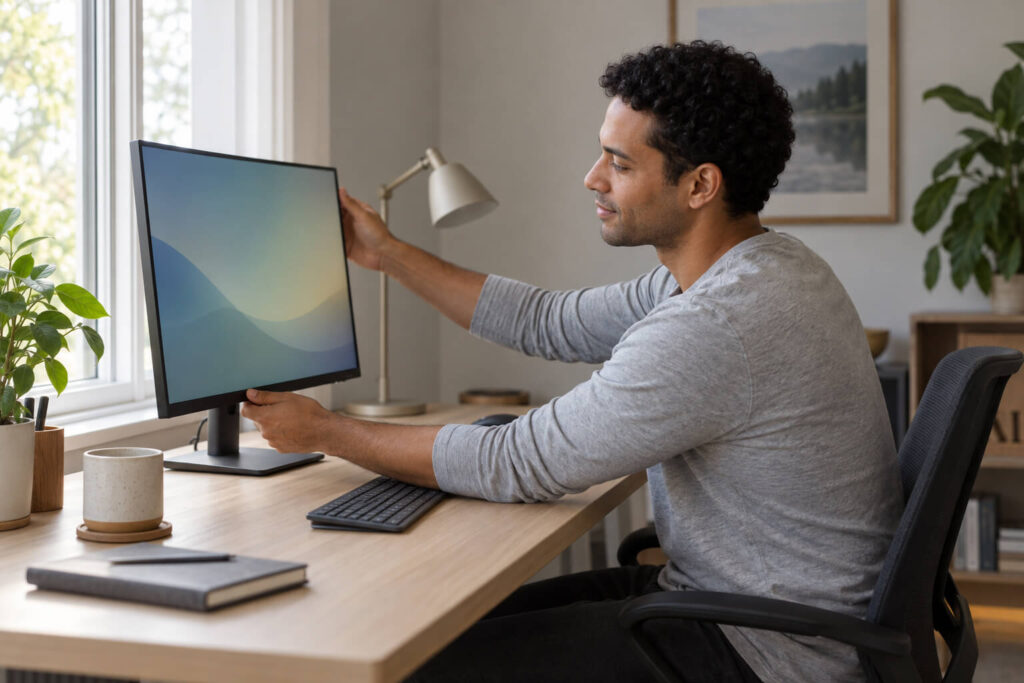
Set the monitor for comfortable reading. Increase text size before moving your face closer. Keep the screen at a comfortable readable distance, with its upper area at or a little below eye level, and adjust the angle to reduce reflections. If you wear correction for computer distance, use it consistently rather than compensating by squinting.
Match screen and room light. Soften direct light, move the monitor so windows and fixtures are not reflected in it, and avoid a bright screen in an otherwise dim room. Aim for readable contrast without the screen looking like a light box.
Change the work rhythm, not just one setting. A long, uninterrupted session asks more of your eyes than the same work divided by short breaks. For many people, how to reduce eye strain from screens is less about a single app setting and more about a workable pattern of breaks, comfortable text, and a calmer visual environment.
When it is worth getting your eyes checked
Give setup and habit changes a fair trial, but do not assume every recurring symptom is ordinary screen fatigue. Arrange an eye-care visit if discomfort persists despite breaks and workstation changes, if vision changes are new or ongoing, or if you have pain, marked redness, light sensitivity, double vision, or symptoms that interfere with normal work. That check can identify issues such as dry eye or an uncorrected prescription that an ergonomic adjustment alone will not solve.
Start with the conditions you can change
The best response to tired screen-work eyes is usually not to fear the screen. Start by making the next week easier on your visual system: take distance breaks, blink fully at natural pauses, enlarge hard-to-read text, and remove obvious glare. Those small adjustments address the most common sources of screen fatigue while making it clearer whether a professional eye check is the next sensible step.
Disclaimer
This article is for educational purposes only and is not medical advice. Gloojo Glasses are not intended to diagnose, treat, cure, or prevent migraine, chronic headaches, neurological disorders, or any medical condition. Individual responses to tinted lenses may vary. If you experience frequent, severe, or worsening headaches, visual disturbances, or other concerning symptoms, please speak with a qualified healthcare professional.